
Changelog
Stay up to date with the latest features, improvements, and bug fixes for Soundlink. We are constantly working to make your music promotion experience better.
Country Tier Level Metrics
View detailed performance metrics broken down by country tier for better campaign insights.
Filter Active Campaigns on Dashboard
Quickly filter to view only your active campaigns on the homepage dashboard.
Referral Program Launched
Invite friends and earn $25 in campaign credits for you and your friend when they join.
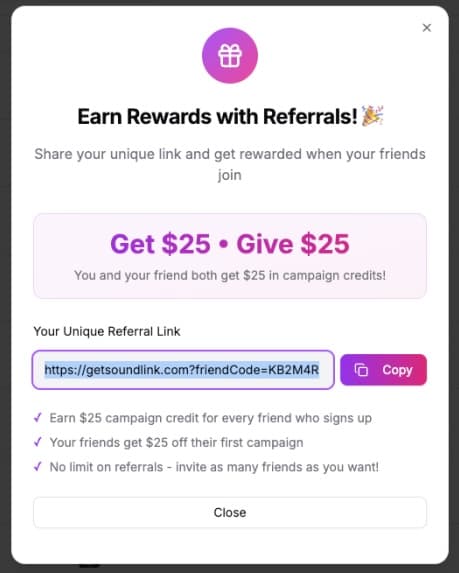
Earn $25 • Give $25 with your unique referral link
Download Invoices from Dashboard
Quickly download weekly invoices directly from your campaign analytics dashboard.
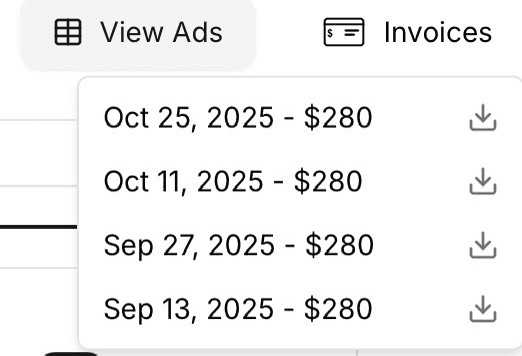
Download invoices from the campaign dashboard
Enhanced Spotify Search with Short Links Support
Spotify search now supports short links (spotify.link) and improved track detection for faster campaign setup.
Localized Ads with Updated Targeting Tiers
Campaigns now use localized ad creative (captions and videos) based on your target market tiers for better engagement.
🌍 Your campaigns now automatically use localized ad creative based on where your ads are shown.
We've updated our targeting tiers to better match creative to markets:
High Tier (40%): English captions + videos for premium markets (US, UK, CA, NL, DE, BE)
Mid Tier (35%): Spanish captions + videos for Spanish-speaking markets (MX, AR, ES)
Low Tier (25%): English captions + videos for cost-efficient markets (BR, PH, ZA + Asia)
This ensures your ads resonate better with local audiences, leading to improved engagement and conversion rates.
Playlist Curator Beta
New tool available to allow everyone become a playlist curator.
🚀 Promoting your music performs better when it's in a playlist.
Now you can create your own playlists and promote your music to your fans. See https://www.playlist-curator.ai/
Example playlist Pop Vibes & 80s Revive
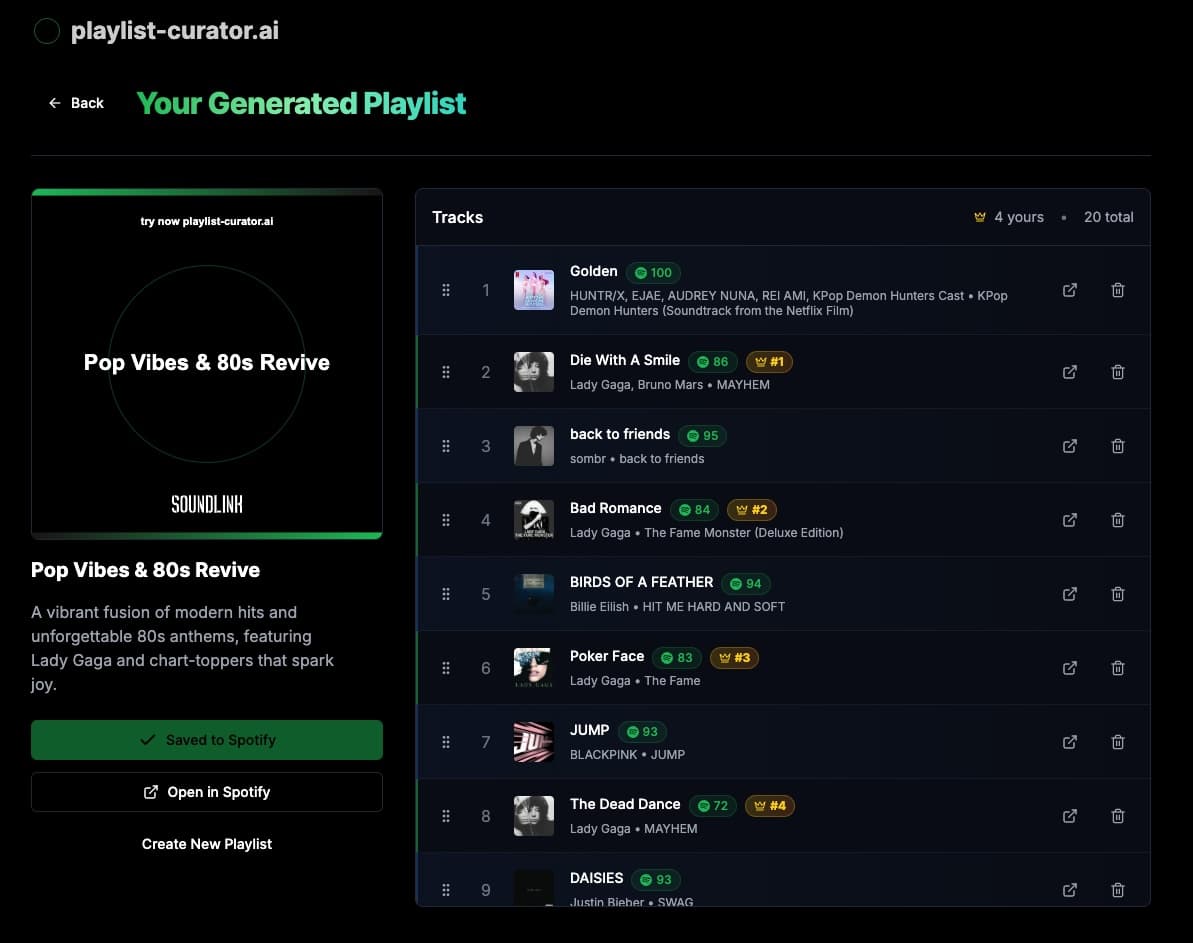
Playlist Curator beta visualization
Artist Catalog Engagement
Understand how your fans are engaging with the rest of your artist catalog.
🚀 With Artist Catalog Engagement you can now see how your fans are engaging with the rest of your artist catalog. Fans come for the track you promote, but often stick around for the rest of your catalog.
Available to all customers across artist and track campaigns.

Artist catalog engagement visualization in the campaign analytics dashboard for a track
Growth tab
Get clear insights into your audience expansion with the new Growth tab: paid and organic track followers, listeners, and streams all in one place.
🚀 The Growth tab is now available to all customers across playlists, artists and tracks! Access growth analytics, monitor key performance indicators, and see how your fanbase is evolving over time.
Use it to measure the impact of your campaigns without having to leave your dashboard.
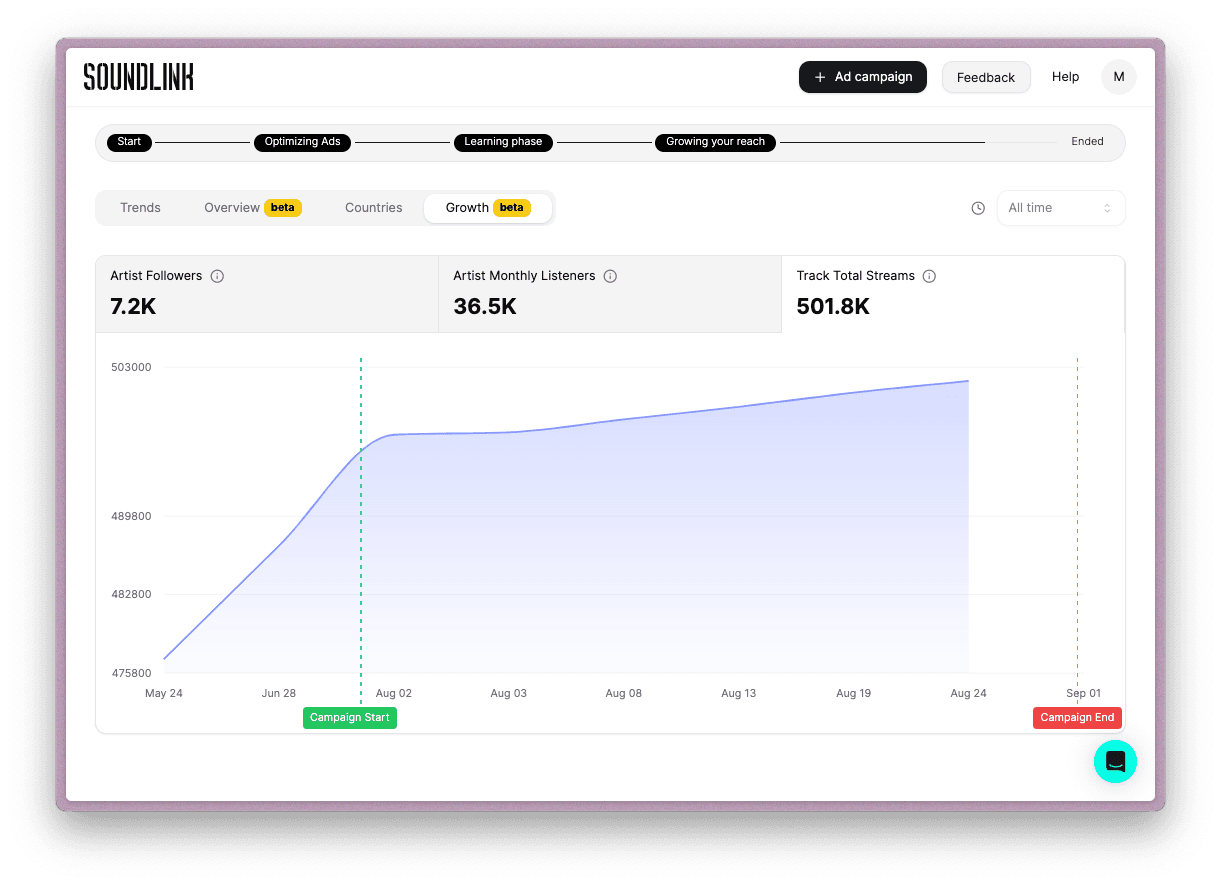
Growth tab visualization in the campaign analytics dashboard for a track
Playlist Engagement Metrics
Are you wondering how your listeners are engaging with your playlist?
You can now see which tracks listeners skip, repeat, or drop off on.
Use this to understand how you can curate your playlists for maximum engagement. 🎶
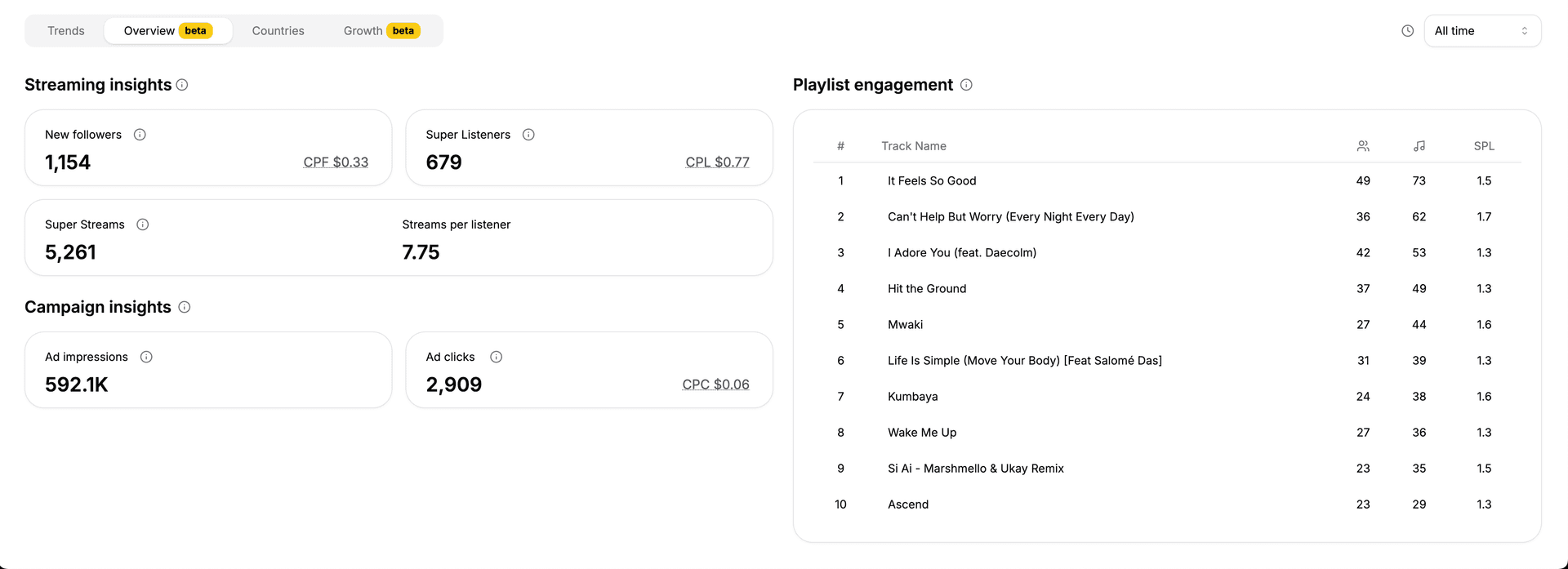
Playlist engagement visualization in the campaign analytics dashboard
Cost Per Click, Cost Per Follow, and Cost Per Listener trendlines
Follow the cost evolution over time for Ad Clicks (CPC), Listeners (CPL), and Followers (CPF) to make data-driven decisions about your campaign.
📊 You can now see the evolution evolution of CPC, CPL and CPF over time in the campaign analytics dashboard.
Use this to understand how your campaign is performing, and adjust your budget allocation accordingly.
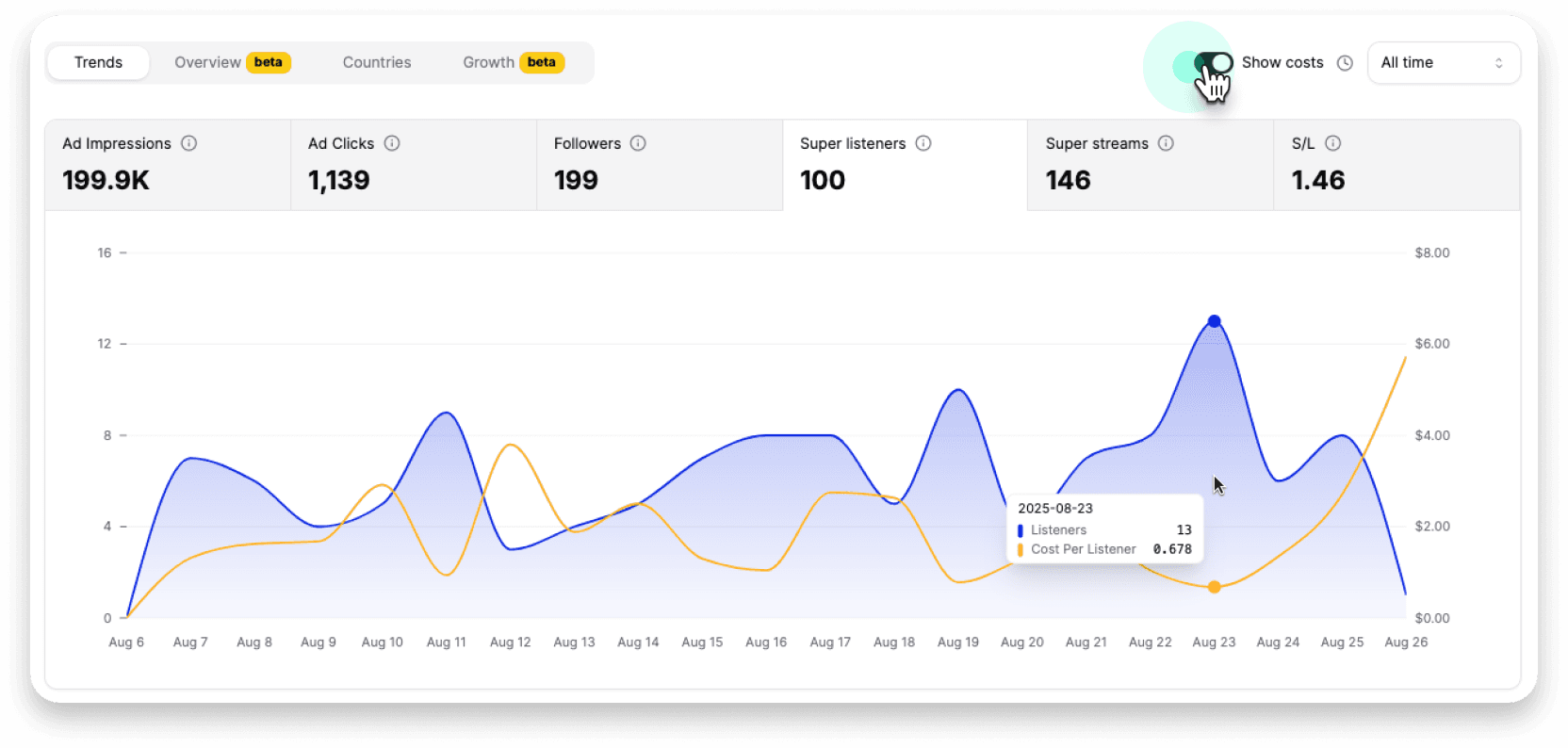
Cost trendlines visualization in the campaign analytics dashboard
Campaign Performance Benchmarking
Compare your CPL, CPF, and SPL metrics against industry benchmarks and other Soundlink campaigns.
📊 You can now compare your campaign performance metrics (CPL, CPF, and SPL) against other Soundlink campaigns.
This helps you understand whether your campaign performance is normal, underperforming, or exceeding expectations: crucial information for campaign optimization decisions and budget allocation.
Click on any metric in your campaign overview to see detailed performance comparisons with visual gauge charts and performance indicators.
Campaign Estimation Tool
Estimate potential results and ROI for future campaigns before launching them.
🎯 You can now estimate the potential results and ROI for your future campaigns before launching them.
This powerful tool enables better budget planning and campaign strategy decisions based on predictive analytics, helping you make informed decisions about campaign investments and expected returns.
Available on getsoundlink.com to help you plan your next successful campaign.
Growth Beta Access from Dashboard
It is now easier to sign up for the Growth beta program directly from your dashboard.
📈 It is now easier to sign up for the Growth beta program.
Click on the request access button on your dashboard and we'll get back to you with access to powerful Growth analytics, including monthly listeners, followers, and geographic streams data.
Growth Integration
Beta access to Growth data in campaign insights.
📊 We added a new Historical tab in the campaign insights dashboard showing Growth data. It displays historical performance metrics including monthly listeners, followers, and geographic streams data.
Currently available to beta testers only. Contact us to join our beta program.
Updated Ad Creatives
New optimized video creatives for multiple genres.
Welcome video for new users
Better onboarding experience with a helpful walkthrough video that appears when you first access your dashboard.
Enhanced campaign status indicators
Quickly identify active campaigns with clear LIVE/ENDED status labels in your dashboard overview.
OTP login alternative
Access your account with one-time password codes instead of magic links, providing more reliable login options.
Campaigns automatically renew & turn off tiers
High performance campaigns with Auto-new. Auto-Renew is now ON by default for all new Soundlink campaigns, keeping momentum and learning phase benefits intact.
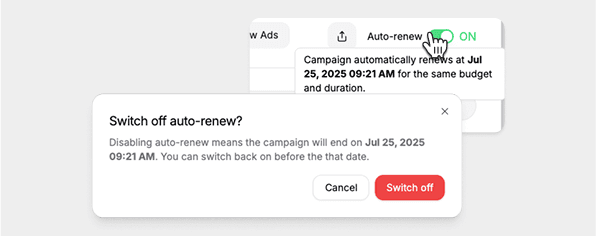
Auto-Renew toggle and confirmation dialog in the campaign dashboard
Take control of targeting
Control campaign tiers. You can now turn off (or back on) any of the 3 tiers while your campaign is running - the budget will be distributed to the enabled tiers.
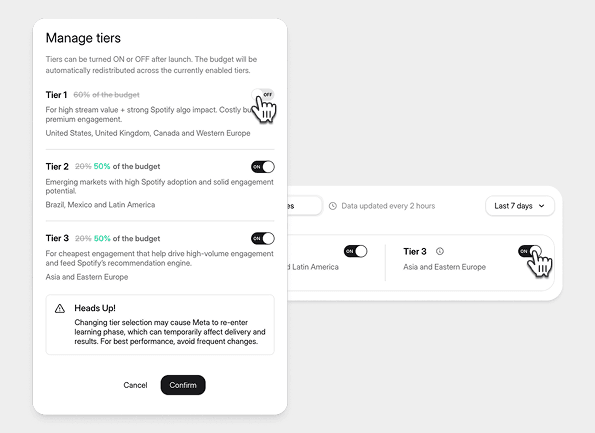
Manage tiers modal with ON/OFF toggles and budget allocation controls
You can also promote your music
Start promoting